
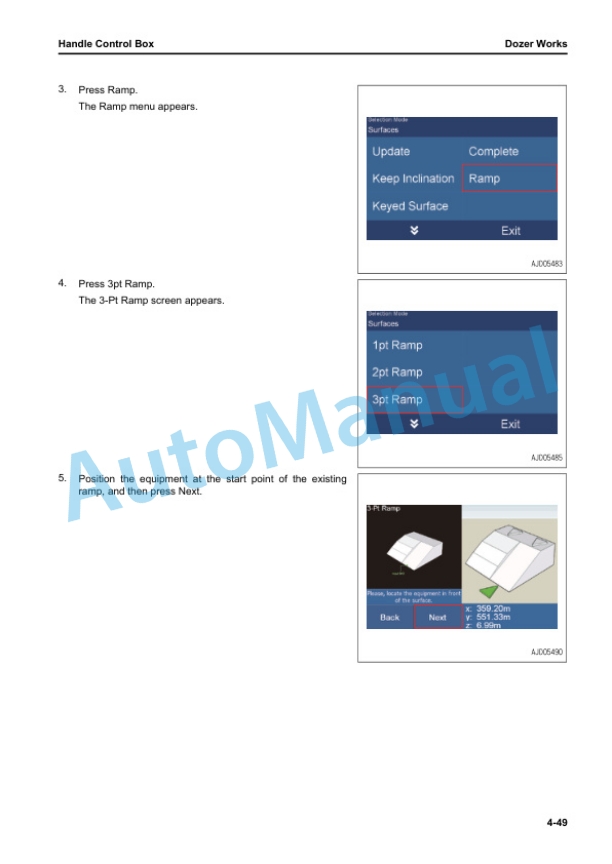
Description
-
Model List:
- D375Ai-8 Bull Dozer
- D375Ai-8E0 Bull Dozer
- 1. Cover
- 1.1. Foreword
- 1.1.1. Table of Contents
- 1.1.2. Read This Manual
- 1.1.3. Safety Information
- 1.1.4. Introduction
- 1.1.4.1. intelligent Machine Control
- 1.1.4.2. Machine Features
- 1.1.5. Abbreviation List
- 1.2. Safety
- 1.2.1. General Precautions Common to Operation and Maintenance
- 1.2.1.1. Precautions When Getting on or off Machine
- 1.2.1.1.1. Precautions When Standing Up from Operators Seat
- 1.2.1.1.2. Precautions When Leaving Machine
- 1.2.1.2. Precautions for Blade Automatic Control
- 1.2.2. Precautions for Operation
- 1.2.2.1. Start Engine
- 1.2.2.1.1. In Cold Weather
- 1.2.3. Precautions for Maintenance
- 1.2.3.1. Precautions for Check and Maintenance
- 1.2.3.1.1. Precautions for AUX BOX
- 1.3. Operation
- 1.3.1. General View
- 1.3.1.1. Names of Machine Equipment
- 1.3.1.2. Control Levers and Pedals
- 1.3.1.2.1. Control Box Name
- 1.3.2. Explanation of Components
- 1.3.2.1. intelligent Machine Control System
- 1.3.2.1.1. Control Box
- 1.3.2.1.2. Auto/Manual Switch
- 1.3.2.1.3. Cut/Fill Offsets Switch
- 1.3.2.1.4. Back Grade Mode Switch
- 1.3.2.1.5. AUX BOX
- 1.3.2.1.6. AutoPitch Adjustment
- 1.3.3. Machine Operations and Controls
- 1.3.3.1. Checks and Adjustment Before You Start Engine
- 1.3.3.2. Operations and Checks After You Start Engine
- 1.3.3.2.1. Reset Cylinder Stroke End
- 1.3.3.2.2. Set Standard Angle of Blade Edge
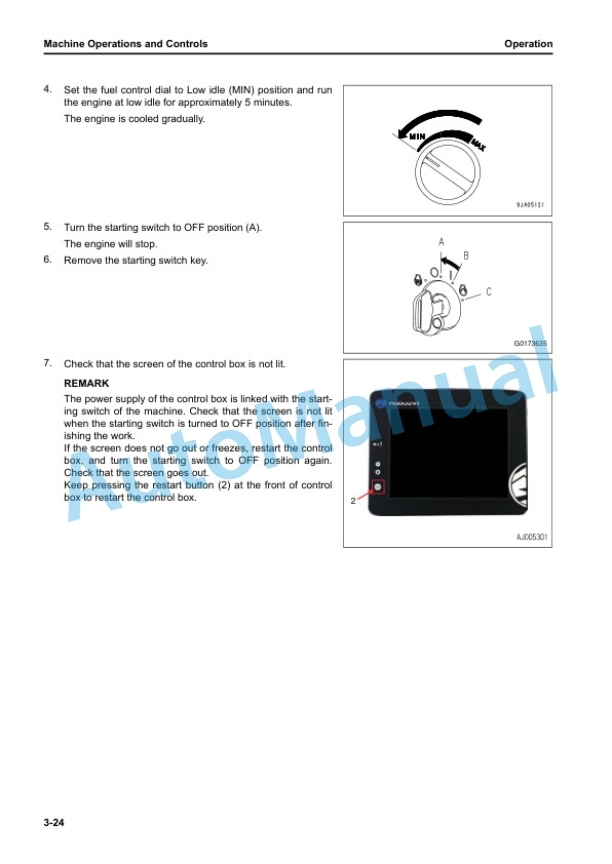
- 1.3.3.3. How to Stop Engine
- 1.3.3.4. How to Use Automatic Blade Control
- 1.3.3.4.1. Prepare for Blade Automatic Control
- 1.3.3.4.2. Handle Automatic Blade Control
- 1.3.3.4.3. Mode Settings
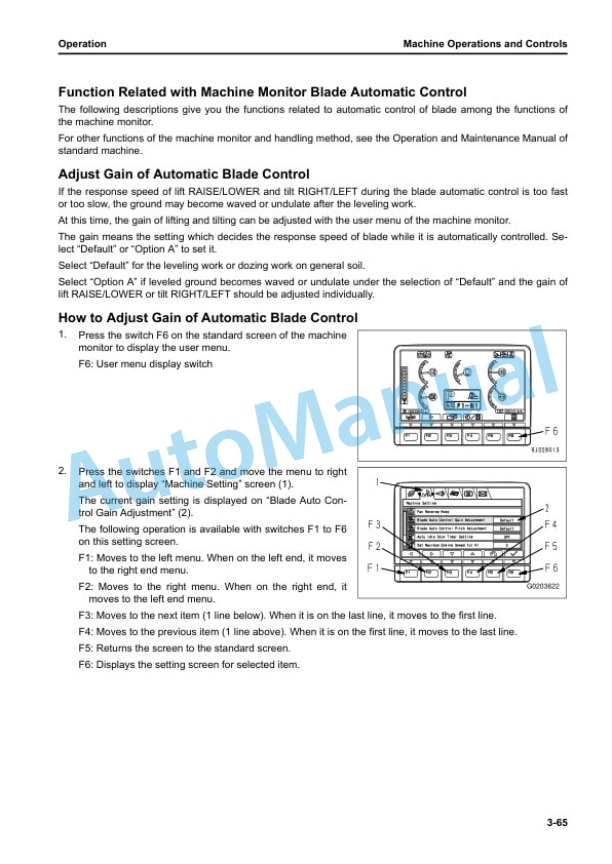
- 1.3.3.4.4. Function Related with Machine Monitor Blade Automatic Control
- 1.3.3.4.5. Precautions When You Use Blade Automatic Control
- 1.3.3.4.6. Recommended Applications and Modes
- 1.3.4. Transportation
- 1.3.4.1. Handle Cylinders When Blade is Not Installed or Removing and Installing Blade
- 1.3.4.2. How to Remove AUX BOX
- 1.3.5. Precautions for LongTerm Storage
- 1.3.5.1. Turn Battery Disconnect Switch to OFF Position Before LongTerm Storage
- 1.3.6. Troubles and Procedures
- 1.3.6.1. Other Trouble
- 1.3.6.1.1. Phenomena and Procedures for Control Box
- 1.4. Handle Control Box
- 1.4.1. Table of Contents
- 1.4.2. Foreword
- 1.4.2.1. Provision System Overview
- 1.4.2.2. Main Components
- 1.4.2.2.1. Tracking Devices
- 1.4.2.2.2. GPS and WiFi Antennas
- 1.4.2.2.3. Central Server
- 1.4.2.2.4. Desktop Client Computers
- 1.4.2.2.5. WiFi Network
- 1.4.2.3. Dozer Guidance
- 1.4.2.3.1. Top View
- 1.4.2.3.2. Side View
- 1.4.2.4. Bench Elevation Control
- 1.4.2.5. Production Tracking
- 1.4.2.6. Safety
- 1.4.2.6.1. Emergency Messages
- 1.4.2.6.2. Mayday Messages
- 1.4.2.6.3. Operator Chat
- 1.4.2.6.4. Proximity Detection
- 1.4.2.6.5. Safety Inspections
- 1.4.3. General Procedures
- 1.4.3.1. Log On
- 1.4.3.2. Complete Safety Checklists
- 1.4.3.2.1. Enter Comments
- 1.4.3.2.2. See Prestart Check Reports
- 1.4.3.3. Log Off
- 1.4.3.4. Change Status
- 1.4.3.5. Change the Volume
- 1.4.3.6. Change the Display Color Scheme
- 1.4.3.7. Send and Receive Text Messages
- 1.4.3.7.1. Send Custom Messages
- 1.4.3.7.2. See Incoming Messages
- 1.4.3.8. Send a Quick Message
- 1.4.3.9. Send an Emergency Message
- 1.4.4. Dozer Works
- 1.4.4.1. Overview
- 1.4.4.2. Show the Side for Trucks to Load on
- 1.4.4.3. Tracking Time and Volume
- 1.4.4.3.1. Select an Activity
- 1.4.4.3.2. Suspend a Work
- 1.4.4.3.3. Resume a Work
- 1.4.4.3.4. Stop a Work
- 1.4.4.4. Work On Predefined Design Surfaces
- 1.4.4.5. Make Flat Areas, Drainage Surfaces, and Ramps
- 1.4.4.5.1. Make Flat Areas
- 1.4.4.5.2. Make Drain Slope
- 1.4.4.5.3. Make OnePoint Ramp
- 1.4.4.5.4. Make a TwoPoint Ramp
- 1.4.4.5.5. Make a ThreePoint Ramp
- 1.4.4.6. Rotate Map or Select Map Orientation
- 1.4.4.6.1. Rotate Map
- 1.4.4.6.2. Select Map Orientation
- 1.4.4.7. Enter Engine Hours
- 1.4.4.8. Enter Fueling Information
- 1.4.4.9. Do Tasks
- 1.4.5. Dozer Information
- 1.4.5.1. Overview
- 1.4.5.2. See Transactions
- 1.4.5.3. See Key Performance Indicator Screen
- 1.4.5.4. See Production Information
- 1.4.5.5. See More Information
- 1.4.5.5.1. See Position Information
- 1.4.5.5.2. See the About Screen
- 1.4.6. Komatsu Machine Control Menu
- 1.4.6.1. Main Screen
- 1.4.6.2. Main Menu Display
- 1.4.6.3. Komatsu Machine Control Menu
- 1.4.6.3.1. How to Input Wear Volume of Blade Edge and Track Shoes
- 1.4.6.3.2. How to Examine and Adjust Blade Elevation
- 1.4.6.3.3. Input Wear Quantity of Grouser
- 1.4.6.3.4. Blade Control
- 1.4.6.3.5. Dozing Mode Settings
- 1.4.6.3.6. Adjust Cut/Fill Offsets
- 1.4.6.3.7. Match Function
- 1.4.6.3.8. Machine Control Option Menu Setting
- 1.4.6.4. Troubles and Procedures
- 1.4.6.4.1. Other Trouble
- 1.5. Specifications
- 1.5.1. Specifications
- 1.5.1.1. Specifications D375AI8, D375AI8E0
- 1.6. Index




There are no reviews yet.